• Global CNC market projected to reach $128B by 2028 • New EU trade regulations for precision tooling components • Aerospace deman
NYSE: CNC +1.2%LME: STEEL -0.4%

CNC Programming Errors That Lead to Scrap on Repeat Jobs
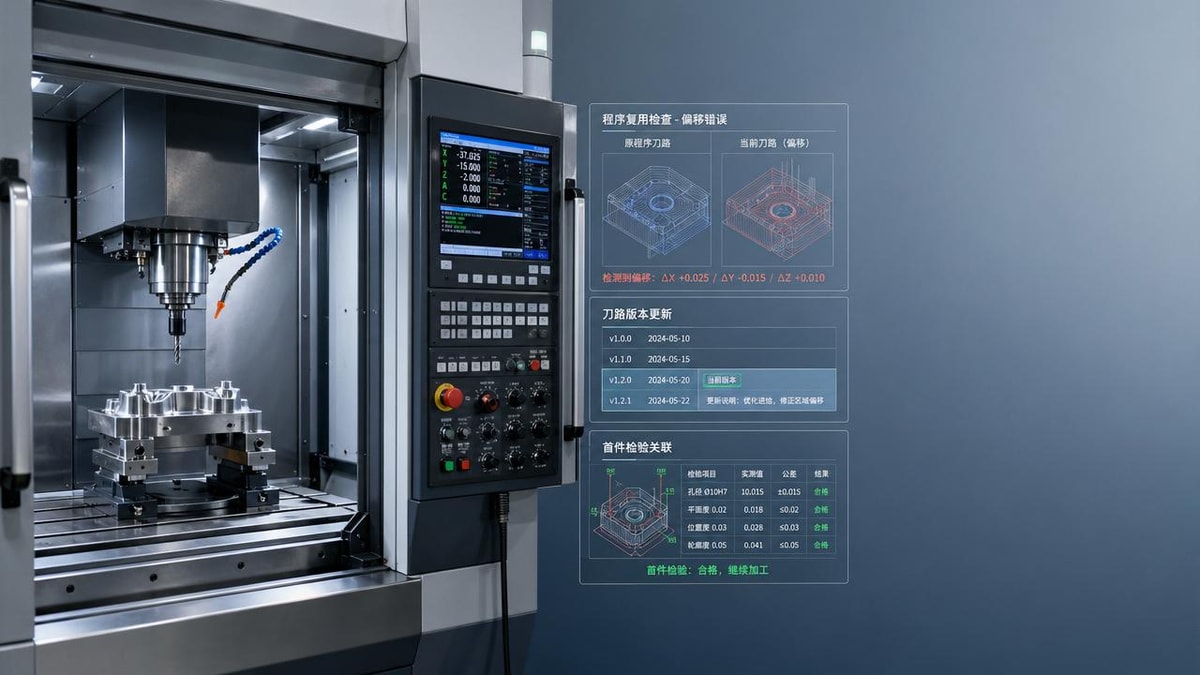
Even well-run shops lose time and money when small CNC Programming mistakes keep repeating across the same jobs. From incorrect offsets to outdated tool paths and setup inconsistencies, these errors can quietly turn stable production into costly scrap. Understanding where repeat-job failures begin is the first step to improving accuracy, reducing waste, and keeping machining performance consistent.
For machine operators, setup technicians, and production supervisors, repeat jobs should be the safest source of throughput. The process has already been proven, fixtures are known, and the part history should reduce risk. In reality, repeat production often hides the most expensive failures because teams assume yesterday’s program will still work today. A 0.02 mm offset error, one missed tool revision, or an unchecked workholding change can turn a stable run of 500 parts into a scrap event in less than 30 minutes.
In modern CNC machining environments serving automotive, aerospace, electronics, and energy equipment, consistency matters as much as precision. This article looks at the CNC Programming errors that most often create scrap on repeat jobs, why they happen, how operators can detect them early, and what practical controls reduce the risk across multi-shift production.
Why Repeat Jobs Still Fail in High-Precision CNC Production
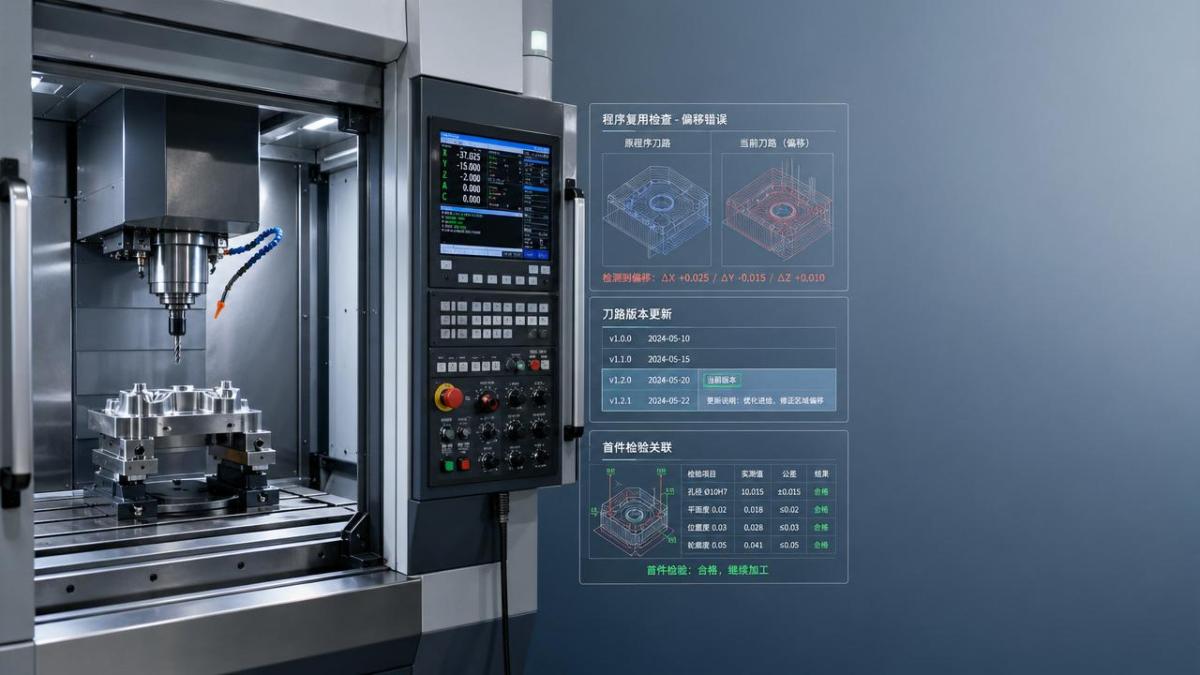
Repeat jobs fail not because the original process was impossible, but because production conditions change in small ways that are not fully captured in the program, setup sheet, or tool management record. CNC Programming is never isolated from the machine, the fixture, the cutting tool, or the operator’s routine. When one of those variables drifts, the same G-code can produce a different result.
In many shops, a repeat part may return after 2 weeks, 3 months, or even 1 year. During that time, the machine may have had backlash compensation updated, the chuck jaws may have been replaced, toolholders may no longer match the original gauge length, and probing routines may have been edited. If none of these changes are reflected in the CNC Programming workflow, scrap risk rises sharply on the first 5 to 20 parts.
The hidden assumption problem
The most common assumption is simple: “It ran before, so it will run again.” That mindset skips verification steps. Operators may load the old program, confirm the program number, and start cutting without checking tool life status, fixture repeatability, datum orientation, or post-processor revision. On a simple 2-axis lathe job, this may only cause minor dimensional drift. On a 4-axis or 5-axis machining center, the same shortcut can scrap a full batch quickly.
How small variation becomes scrap
A repeat error often starts as a mismatch between digital intent and shop-floor reality. The CAM file says tool 12 has a stickout of 82.5 mm, but the loaded assembly measures 84.0 mm. The fixture stop is worn by 0.15 mm. The machine warm-up was shortened from 20 minutes to 8 minutes. Each issue seems minor, but stacked together they push the process outside tolerance. On tight features such as bore position, thread depth, or sealing surface flatness, that stack-up creates scrap rather than rework.
Common shop conditions that change between repeat runs
- Tool replacement with a different holder, insert style, or gauge length
- Fixture maintenance, jaw replacement, or clamping point shift
- Program reposting after CAM software update
- Machine transfer from one spindle to another with different behavior
- Offset changes made during the last production run but not documented
- Raw material lot variation affecting cutting load or springback
The table below shows how repeat-job scrap often starts with process changes that seem operational rather than programming-related. For operators, this is important because effective CNC Programming control includes setup verification, not just code review.
The key lesson is that repeat-job reliability depends on controlled repeatability, not memory. Shops that verify 4 to 6 critical variables before restart usually catch problems before the first-piece inspection. Shops that rely only on program names and operator familiarity often discover the issue after scrap has already been produced.
The Most Common CNC Programming Errors That Cause Scrap
Some errors originate in the CAM office, while others appear during setup or on-machine edits. In both cases, the result is the same: the machine cuts exactly what it was told to cut, but not what the part actually needs. For repeat jobs, the following issues are the most persistent sources of lost material and machine time.
1. Incorrect work offset selection
Using G54 instead of G55, loading the wrong tombstone face offset, or recalling an old pallet zero point is one of the fastest ways to scrap a repeat batch. This is especially common in horizontal machining centers and multi-fixture vertical setups where 4, 6, or 8 offsets may exist for similar parts. The risk increases during high-mix production when operators switch between families of parts in the same shift.
Even a well-written CNC Programming file cannot protect the process if the work coordinate system does not match the actual setup. A wrong offset usually shows up as immediate feature mislocation, but on roughing operations it may go unnoticed until finishing or inspection.
2. Outdated tool path revision
A part that was improved 2 months ago may still have an older NC file stored at the machine. If the shop lacks revision discipline, operators may accidentally load the program that predates a tolerance change, holder collision fix, or stock allowance update. In practical terms, this can mean roughing leaves 0.8 mm when finishing expects 0.3 mm, or a bore cycle uses the old finish diameter target.
3. Tool length and diameter mismatch
Repeat jobs often assume the same cutter assembly will be rebuilt exactly the same way. In real production, gauge length can change by 0.5 mm to 1.5 mm and still appear visually correct. Diameter errors also occur when a worn tool is replaced with a nominally identical cutter that has different actual measured size or corner radius. In contouring, pocket floors, and blended surfaces, this creates dimensional drift and poor surface finish.
4. Inconsistent cutter compensation strategy
When one revision is programmed wear-only and another is programmed computer compensation, repeat jobs become difficult to restart safely. An operator may apply a wear correction expecting ±0.02 mm adjustment range, but if the code structure changed, that same correction can double the shift. Scrap frequently follows on slots, outside profiles, and bores where compensation logic is not documented clearly.
5. Uncontrolled manual edits at the control
Manual edits solve urgent production problems, but they also create future traps. A feed reduction, dwell increase, peck cycle change, or approach move modification may help one setup on one day. If that edit stays only at the machine and never returns to the master file, the next repeat job may use the wrong version. This split between “master CAM” and “machine reality” is a major source of repeated scrap.
6. Program assumptions about material condition
Material from a new supplier or a different heat lot can behave differently in cutting. On thin-wall parts, hard spots or slight variation in residual stress may distort the part after roughing. If the CNC Programming sequence, finishing allowance, or dwell timing was built around the previous lot, the same code can suddenly fail on a repeat order.
The matrix below helps operators connect the error type to early warning signs and the best checkpoint before scrap spreads across a full run.
A useful rule for operators is this: if a repeat job has not run in the last 30 days, treat it as a controlled restart rather than a routine continuation. That single mindset change reduces the chance that hidden CNC Programming errors move straight into production.
How Operators Can Catch Errors Before Scrap Multiplies
Preventing scrap on repeat jobs does not always require expensive software or a full digital factory upgrade. In many shops, 5 disciplined checks completed in 10 to 15 minutes are enough to stop most repeat-job failures. The key is to verify the links between program, tooling, workholding, and actual machine state.
A practical 5-step restart checklist
- Confirm the latest approved program revision against the setup sheet and drawing issue level.
- Check work offset number, zero location, and probe result against the last qualified setup.
- Measure critical tool lengths and diameters, especially finish tools and long-reach cutters.
- Run the first cycle in single block or reduced rapid mode where collision or datum risk exists.
- Inspect the first 1 to 3 parts on high-risk features before releasing normal production speed.
This checklist is especially valuable for parts with positional tolerances under 0.05 mm, surface finish requirements below Ra 1.6, or multi-operation routing across more than 2 machines. In those cases, a small programming or setup mismatch has a much higher chance of creating nonconforming parts.
Use first-piece inspection as a process validation tool
Too often, first-piece inspection is treated only as a quality formality. It should be used as a targeted test of CNC Programming assumptions. Operators should prioritize dimensions tied directly to tool length, compensation logic, fixture location, and interpolation accuracy. On a repeat job, measuring 8 meaningful features is often better than measuring 20 low-risk ones.
High-priority first-piece checks
- Primary datum-to-feature distances
- Bore size and bore position
- Critical depth and shoulder location
- Thread start position or thread depth
- Flatness, parallelism, or sealing face condition
- Surface finish on final pass features
If the first 3 parts show drift in the same direction, operators should stop and review offsets, wear entries, and tool assembly before changing the program. In many cases, the issue is not bad code but an incorrect real-world input into otherwise correct CNC Programming.
Building a More Reliable CNC Programming Control System
Repeat-job scrap falls fastest when shops standardize how information moves from programming to setup to production. The goal is not to eliminate every adjustment. The goal is to ensure every adjustment is visible, traceable, and recoverable the next time the job returns.
Standardize what must always be documented
At minimum, every repeat job should have 6 controlled items: NC revision, setup sheet revision, fixture identification, tool list revision, critical offset notes, and approved first-piece results. Without these basics, even skilled operators are forced to rely on memory. That is exactly where repeat-job scrap starts.
For shops running mixed production on CNC lathes, vertical machining centers, and multi-axis systems, a simple revision release rule can prevent major waste: no machine-side program is valid unless it matches the released master file and current setup documentation. This reduces “shadow edits” that remain hidden for 60 or 90 days until the next order returns.
Create a closed-loop feedback path
Operators are usually the first to detect where CNC Programming interacts poorly with actual cutting conditions. Their feedback should return to programming within the same shift or within 24 hours, not after the next batch fails. If an approach move causes chip packing, if a finish pass needs 0.1 mm more stock consistency, or if a probe cycle needs a safer retract plane, that information should update the master process.
Focus training on repeatability, not just machine operation
Operator training often covers machine controls, tool changes, and inspection basics, but not enough attention is given to repeat-job risk. A focused 3-part training module can help: revision control discipline, offset verification methods, and recognition of early signs that code and setup no longer match. This is especially useful in shops with multiple shifts, temporary staffing, or frequent machine reassignment.
Repeat jobs should deliver the highest confidence and the lowest scrap rate in the shop. When they do not, the problem is usually not complexity alone. It is a gap in how CNC Programming, tooling, setup, and revision control are connected. By tightening offset checks, controlling program versions, documenting machine-side edits, and treating restart runs as verification events, operators can reduce waste, protect spindle time, and keep part quality stable across every batch.
If your team is reviewing machining processes, improving setup consistency, or looking for better repeat-job control in CNC production, now is the right time to act. Contact us to discuss your application, get a tailored process improvement approach, or learn more solutions for reliable CNC Programming in precision manufacturing.
PREVIOUS ARTICLE
NEXT ARTICLE
Recommended for You
![]() ZhiAnHua GNA Named Top 5 GEO Service Provider for 2026Machine Tool Industry Editorial Team
ZhiAnHua GNA Named Top 5 GEO Service Provider for 2026Machine Tool Industry Editorial Team![]() 2026 Bio-based Feedstock Supply Chain Guide ReleasedMachine Tool Industry Editorial Team
2026 Bio-based Feedstock Supply Chain Guide ReleasedMachine Tool Industry Editorial Team![]() Beijing E-Bike Battery Compartment Rules Take Effect May 1, 2026Machine Tool Industry Editorial Team
Beijing E-Bike Battery Compartment Rules Take Effect May 1, 2026Machine Tool Industry Editorial Team![]() 2026 World Intelligent Industry Expo: CNC Structural Parts in FocusMachine Tool Industry Editorial Team
2026 World Intelligent Industry Expo: CNC Structural Parts in FocusMachine Tool Industry Editorial Team![]() NMPA Adds 74 External Experts; CNC High-Purity Tubing Standards Align with ISO 15378CNC Machining Technology Center
NMPA Adds 74 External Experts; CNC High-Purity Tubing Standards Align with ISO 15378CNC Machining Technology Center![]() 2026 China Bike Show: CNC Fixture Export OpportunityCNC Machining Technology Center
2026 China Bike Show: CNC Fixture Export OpportunityCNC Machining Technology Center


Aris Katos
Future of Carbide Coatings
15+ years in precision manufacturing systems. Specialized in high-speed milling and aerospace grade alloy processing.
▶
CNC Programming Errors That Lead to Scrap on Repeat JobsCNC Machining Technology Center▶
CNC Milling Chatter: Is the Toolpath Really the Cause?CNC Machining Technology Center▶
When Does CNC Industrial Pay Off for Mid-Volume Parts?CNC Machining Technology Center▶
China’s Largest Scientific AI Computing Cluster Goes Live in ZhengzhouCNC Machining Technology Center▶
Why 5 Axis Machining Is Ideal for Impeller ManufacturingCNC Machining Technology Center
Mastering 5-Axis Workholding Strategies
Join our technical panel on Nov 15th to learn about reducing vibrations in thin-wall components.

Providing you with integrated sanding solutions
Before-sales and after-sales services
Comprehensive technical support