• Global CNC market projected to reach $128B by 2028 • New EU trade regulations for precision tooling components • Aerospace deman
NYSE: CNC +1.2%LME: STEEL -0.4%

Custom Fixture Design for CNC Milling: How to Prevent Vibration and Positioning Errors
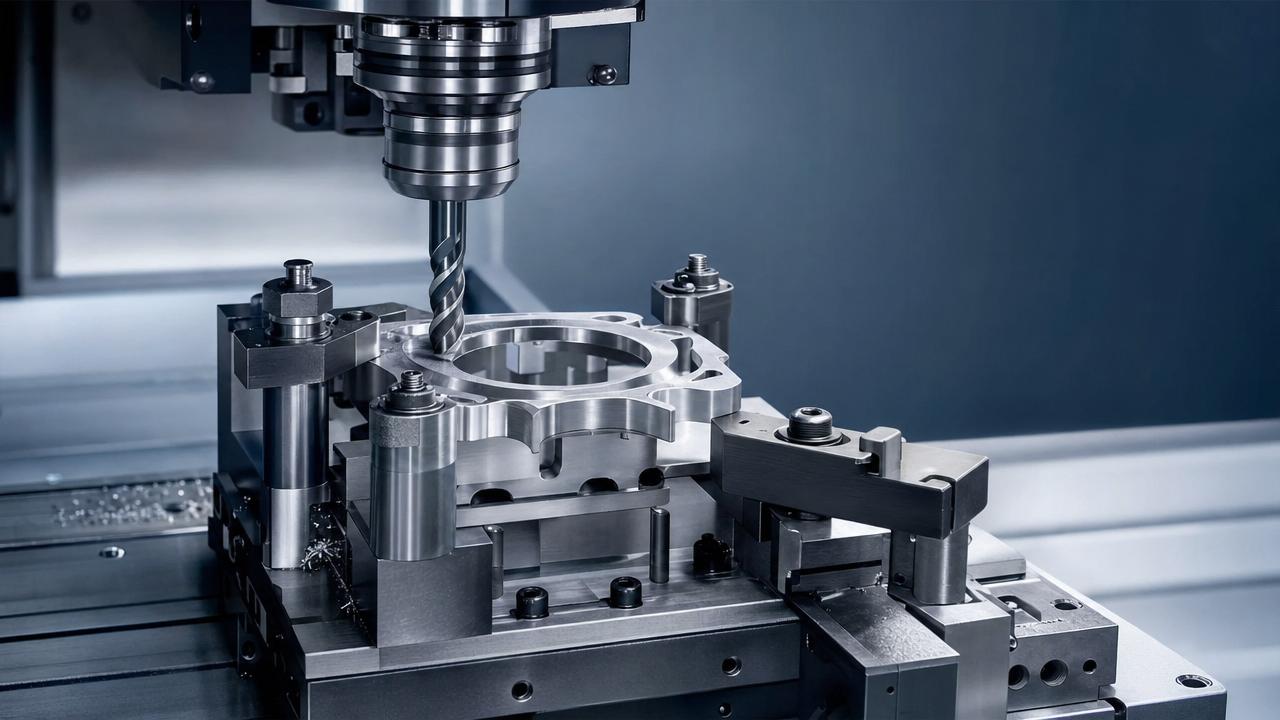
Why Custom Fixture Design for CNC Milling Matters
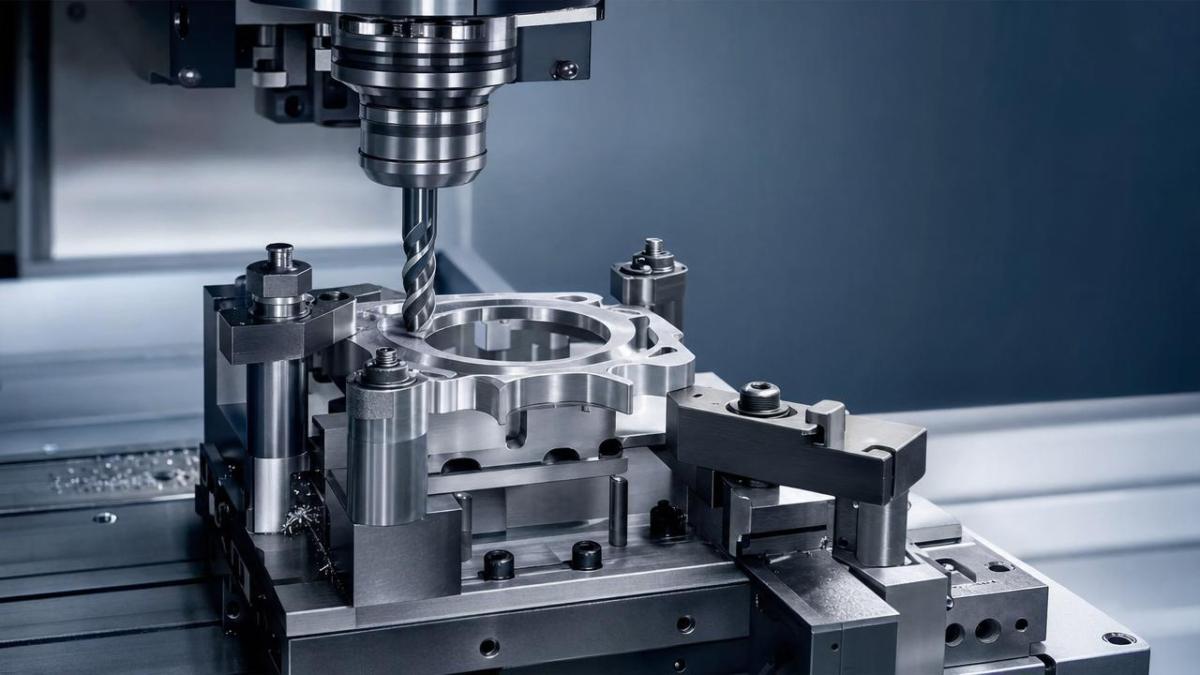
Custom Fixture Design for CNC milling directly affects part accuracy, tool life, and cycle stability.
When the fixture is weak or poorly supported, vibration appears fast.
Once vibration starts, surface finish drops, tool wear rises, and positioning errors become harder to control.
In daily production, many machining problems are blamed on tools or programs.
But in many cases, the real issue is the fixture setup.
A solid custom fixture design for CNC milling keeps the workpiece stable during cutting.
It also creates repeatable locating points, which helps every part start from the same reference.
That matters even more in automotive, aerospace, electronics, and other precision manufacturing environments.
As machining moves toward higher precision and more automation, fixture quality becomes a real production advantage.
This also means operators need practical methods, not theory alone.
The good news is that most vibration and positioning problems can be reduced with a few smart design decisions.
What Causes Vibration and Positioning Errors
Before improving a fixture, it helps to identify where instability really comes from.
The most common cause is low structural rigidity.
If the base plate bends or the clamping arm flexes, cutting forces will move the part.
Another issue is incorrect support layout.
Long, thin, or uneven parts need support exactly where cutting loads are highest.
If support points are too far away, the workpiece behaves like a spring.
Clamping force is another common problem.
Too little force allows slip. Too much force distorts thin walls or soft materials.
Positioning errors often begin with poor locating design.
If locating pins are undersized, dirty, or poorly placed, repeatability will suffer.
Thermal growth can also shift dimensions during long runs.
This becomes more obvious when fixture materials expand differently from the workpiece.
From a practical view, unstable chips, chatter marks, and inconsistent datum readings are early warning signs.
Core Principles of Custom Fixture Design for CNC Milling
Good custom fixture design for CNC milling starts with rigidity, repeatability, and access.
The fixture must resist cutting loads without blocking the tool path.
A practical approach is the 3-2-1 locating principle.
Three points support the primary plane, two control the secondary plane, and one fixes the final direction.
This method reduces over-constraint and improves repeatable positioning.
Fixture elements should sit close to the cutting zone whenever possible.
Shorter force paths usually mean less deflection.
At the same time, chip evacuation needs room.
Packed chips under supports or locators can create hidden positioning errors.
Material selection also matters.
Tool steel, hardened inserts, and stable base materials improve wear resistance in repeat production.
For lighter-duty applications, aluminum bodies with hardened contact points can balance weight and cost.
Key Design Targets
- Keep the workpiece fully seated on stable datum surfaces.
- Place clamps over support points whenever possible.
- Reduce unsupported overhang near heavy milling areas.
- Use locator features that are easy to clean and inspect.
- Allow fast loading without sacrificing repeatability.
How to Reduce Vibration Through Fixture Structure
If chatter is a regular problem, start by checking fixture stiffness before changing cutting parameters.
A stronger custom fixture design for CNC milling usually begins with the base.
Thin plates and tall spacers often amplify vibration.
Use ribbed structures, thicker sections, or shorter support columns where possible.
Contact area matters too.
Small contact pads are helpful for rough castings, but they can create local stress and movement.
When the part allows it, increase support area to distribute force more evenly.
For thin-wall components, add auxiliary supports close to the cutting region.
Adjustable rest pads, jack supports, or sacrificial backing plates can help a lot.
Damping features can also reduce vibration in difficult jobs.
In real production, this may mean polymer-filled sections, damped supports, or shorter clamp arms.
Even simple changes, like moving a clamp closer to the cutter, can make chatter disappear.
Quick Vibration Checks
- Tap the clamped part lightly and listen for ringing.
- Measure movement near the cut zone with an indicator.
- Compare surface finish between first and last parts.
- Check whether clamp marks or slip marks appear after roughing.
How to Prevent Positioning Errors in Daily Machining
Preventing positioning errors is not only about tighter tolerances.
It is about making every loading cycle predictable.
A reliable custom fixture design for CNC milling should make wrong loading difficult.
Use clear datum faces, foolproof locator geometry, and accessible clamping points.
Diamond pins are useful when thermal expansion or tolerance stack-up is a concern.
They allow controlled movement in one direction while still maintaining location.
Locator wear must also be monitored.
A worn pin or pad may shift only a few microns, but that is enough to fail a precision part.
Cleanliness is another big factor.
Coolant residue, chips, or burrs under the part can destroy repeatability instantly.
That is why self-cleaning seats, air blow-off, and chip escape grooves are worth adding.
Positioning Error Prevention Checklist
- Inspect locating pins and pads on a fixed schedule.
- Remove burrs before loading each workpiece.
- Verify clamp sequence to avoid part lift.
- Use stop surfaces that are easy to see and touch.
- Confirm repeatability with first-piece and last-piece checks.
Choosing the Right Clamping Force and Support Layout
Clamping should hold the part against locators, not deform it.
That sounds simple, but it is often where fixture problems begin.
In custom fixture design for CNC milling, force direction is just as important as force level.
Push the part into stable locating surfaces first.
Avoid clamp directions that pull the part away from its datums.
For thin parts, spread force with wider pads or swing clamps with controlled torque.
For tall parts, lower the center of force to reduce tipping.
Support layout should follow the expected cutting load path.
If heavy side milling happens on one edge, increase support near that edge.
If the workpiece changes shape after unclamping, measure distortion during setup trials.
That result often shows whether the issue is force, support, or raw material stress.
Practical Comparison Table
A Simple Improvement Process That Works
The best fixture improvements usually come from a structured review, not guesswork.
Start by identifying the exact symptom.
Is the problem chatter, size variation, flatness drift, or inconsistent zero position?
Then connect that symptom to fixture behavior during the cut.
A practical workflow makes custom fixture design for CNC milling easier to refine over time.
- Record where defects appear on the part.
- Check support, clamping, and locating near that area.
- Measure movement with indicators during trial cuts.
- Change one fixture variable at a time.
- Standardize the improved setup for future runs.
This approach saves time, reduces scrap, and supports stable production scaling.
In a broader manufacturing context, that consistency is what supports automation and smarter machining workflows.
If the goal is fewer interruptions and better part quality, fixture design deserves early attention, not late correction.
A well-planned custom fixture design for CNC milling reduces vibration, prevents positioning errors, and keeps machining performance predictable.
Review the next unstable job with these points in mind, and the root cause often becomes much clearer.
PREVIOUS ARTICLE
Recommended for You
 How Automated Precision Machining Maintains Tolerance in High-Mix ProductionCNC Machining Technology Center
 How to Evaluate a Machine Tool Factory Before Sourcing CNC EquipmentGlobal Machine Tool Trade Research Center
 CNC Programming Explained: From CAD Models to Reliable Shop-Floor ToolpathsCNC Machining Technology Center
 How Multi-Axis Machining Produces Complex Components With Fewer SetupsCNC Machining Technology Center
 What Production Volume Justifies a CNC Turning Investment?Manufacturing Market Research Center
 How Much Does CNC Programming Software Cost in 2026?CNC Machining Technology Center




Aris Katos
Future of Carbide Coatings
15+ years in precision manufacturing systems. Specialized in high-speed milling and aerospace grade alloy processing.
▶
Fixture Design Cost Breakdown: What Buyers Should Review Before RFQ and ApprovalCNC Machining Technology Center▶
Fixture Design Basics: How Clamping Layout Affects Accuracy and Cycle TimeCNC Machining Technology Center▶
India Requires BIS for Imported Workholding DevicesCNC Machining Technology Center▶
EU Draft Tightens CNC Fixture CE RequirementsCNC Machining Technology Center▶
How to Choose Fixtures for CNC Machining: Clamping Methods, Accuracy, and Changeover TimeCNC Machining Technology Center
Mastering 5-Axis Workholding Strategies
Join our technical panel on Nov 15th to learn about reducing vibrations in thin-wall components.

Providing you with integrated sanding solutions
Before-sales and after-sales services
Comprehensive technical support