• Global CNC market projected to reach $128B by 2028 • New EU trade regulations for precision tooling components • Aerospace deman
NYSE: CNC +1.2%LME: STEEL -0.4%

CNC Programming mistakes that quietly raise scrap rates
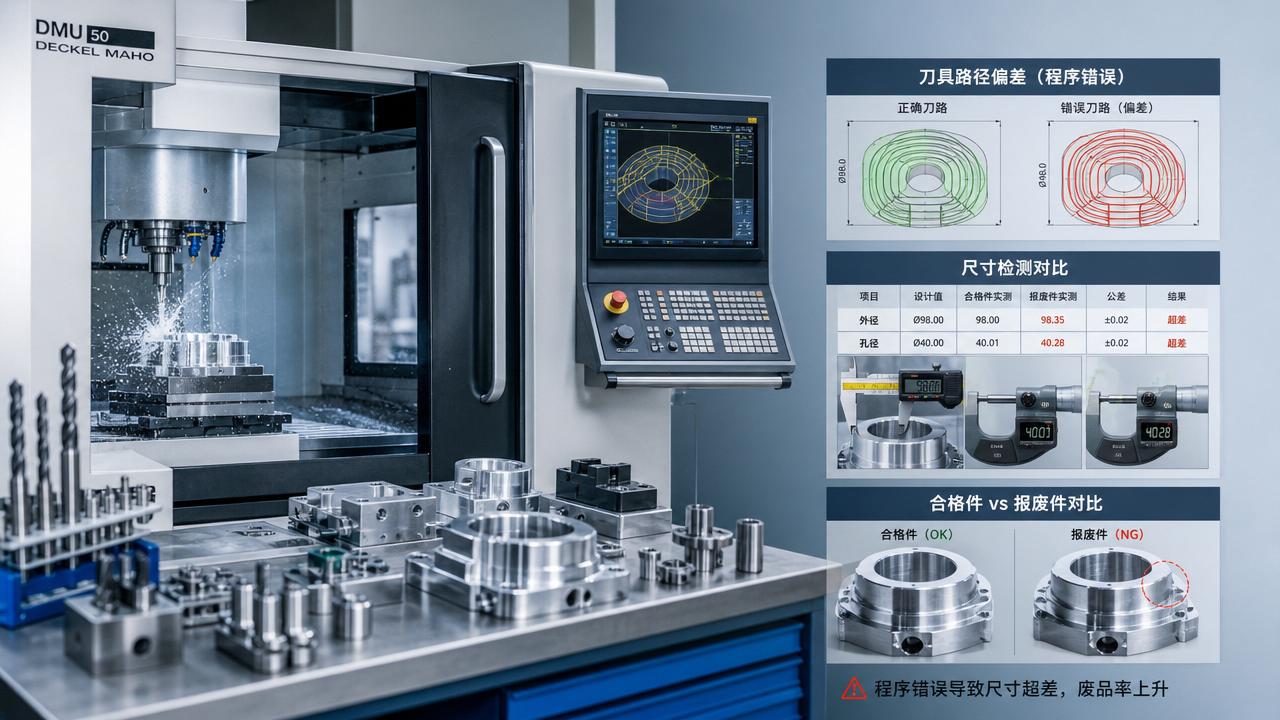
Even small CNC Programming mistakes can quietly drive up scrap rates, rework, and machine downtime before operators notice the pattern. From incorrect tool offsets to unsafe feed settings and overlooked code logic, these errors often hide inside routine production. This article explains where problems start, how they affect part quality, and what practical steps help reduce waste, improve consistency, and strengthen process control across modern machining environments.
Why do CNC Programming mistakes increase scrap rates without obvious warning?
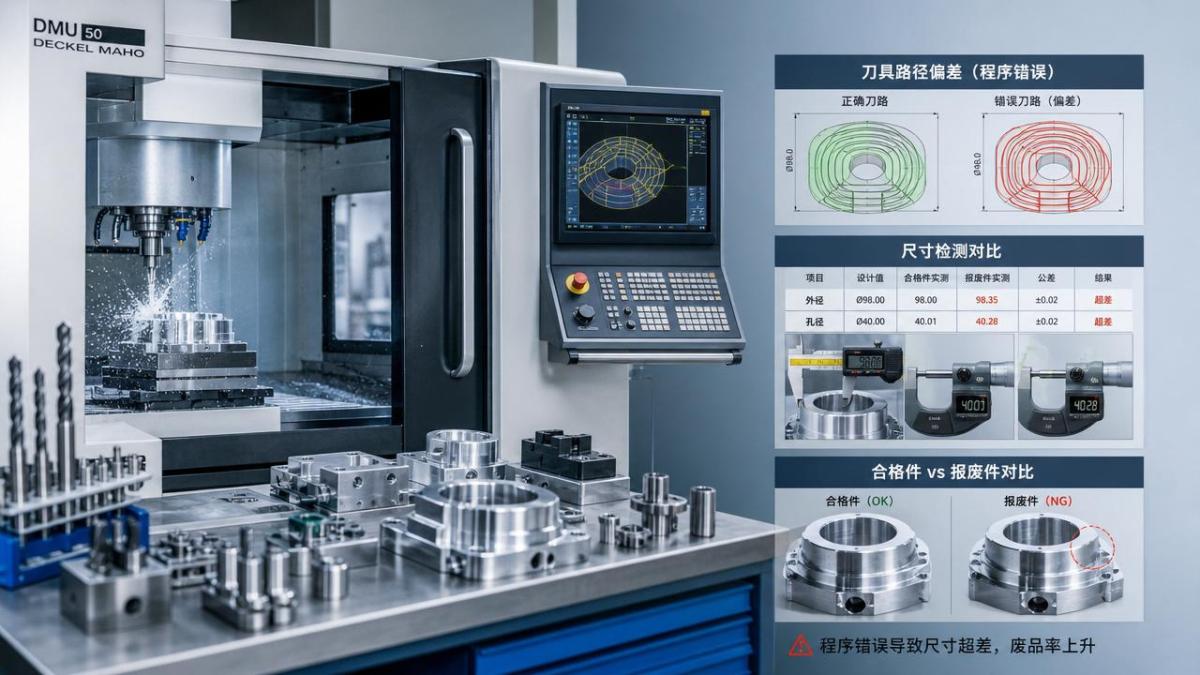
Many CNC Programming errors do not cause instant crashes. They create small dimensional drift, poor surface finish, burrs, or unstable tool wear that spreads over many parts.
This is why scrap often rises quietly. The machine still runs, cycle time looks normal, and the issue appears only during inspection or assembly.
In precision manufacturing, one incorrect decimal, offset, or compensation value can affect every workpiece in a batch. The loss becomes significant before anyone stops production.
CNC Programming also connects directly with tooling, fixturing, material behavior, and machine condition. A valid code line may still produce scrap if the real cutting environment changes.
Common hidden outcomes include:
- undersized or oversized dimensions
- wrong hole position or depth
- excessive chatter and tool marks
- tool breakage from feed or speed mismatch
- clamping instability caused by bad approach paths
In automotive, aerospace, electronics, and energy equipment production, these issues multiply because tolerances are tighter and part geometry is more complex.
Which CNC Programming mistakes most often lead to scrap?
The most frequent CNC Programming mistakes are basic, but their effect is large. They usually appear in setup transitions, program edits, or rushed repeat jobs.
1. Incorrect tool offsets and length compensation
A wrong tool length offset changes Z depth immediately. Even a small offset error can ruin pockets, faces, slots, and drilled features.
Radius compensation mistakes can shift contours. The result may be profile error, corner mismatch, or poor fit during final assembly.
2. Unsafe feed and speed values
Feeds and speeds copied from another material or machine often create unstable cutting. This leads to heat, chatter, premature wear, and inconsistent dimensions.
The problem becomes worse in multi-axis machining, where tool engagement changes continuously along the toolpath.
3. Coordinate system and zero-point mistakes
Mixing G54 to G59 work offsets or loading the wrong fixture origin can shift every feature. Parts may look finished but fail inspection completely.
4. Logic errors in subprograms or repeated cycles
Loop counts, incremental moves, and canned cycle parameters can create repeated defects. The machine obeys the code, but the output is systematically wrong.
5. Missing checks after engineering changes
When drawings, fixtures, or tools change, old CNC Programming assumptions may remain inside the program. Scrap often starts after these small revisions.
How can operators and programmers spot CNC Programming problems earlier?
Early detection depends on combining code review with process observation. Looking only at the screen is not enough. Looking only at the part is also too late.
A reliable check sequence usually includes simulation, dry run, first-article inspection, and in-process measurement. Each step catches different CNC Programming risks.
Useful warning signs on the machine
- tool load rises unexpectedly on normal cuts
- chip color or shape changes suddenly
- surface finish worsens within a short batch
- dimension drift appears in one direction only
- cycle time changes after minor code edits
Digital simulation helps, but it cannot fully predict spindle condition, clamping behavior, insert wear, or thermal growth inside the machine tool.
For this reason, first-piece approval should verify the actual cut path, not only the program structure. Measuring one critical feature is not enough.
In smart manufacturing lines, data collection from probes, load monitoring, and tool life systems can reveal hidden CNC Programming instability earlier than manual inspection alone.
What is the difference between a coding mistake and a process mismatch?
This question matters because not every scrap event comes from bad code. Sometimes the CNC Programming is correct, but the process around it is no longer suitable.
A coding mistake means the toolpath, coordinates, logic, or values are wrong. A process mismatch means the program does not fit current conditions.
Examples of process mismatch include a new material batch, a different tool supplier, fixture wear, coolant issues, or machine backlash changes.
Understanding this difference prevents wasted troubleshooting time. It also supports better communication between programming, setup, quality, and maintenance functions.
How can CNC Programming be improved to reduce scrap in high-mix or precision production?
High-mix environments face more program revisions, more setups, and more opportunities for error. Precision work raises the cost of every mistake.
The goal is not only better CNC Programming. The goal is a repeatable programming system that protects quality under production pressure.
Build a controlled programming workflow
- Use standard post-processors and approved templates.
- Lock revision control for every active program.
- Verify offsets, tools, and fixture references before release.
- Run simulation and machine-side dry checks.
- Record first-article results and feed corrections.
Reduce variation at the source
Standardized tool libraries help keep CNC Programming consistent across shifts and machine platforms. They also reduce feed and speed guesswork during urgent jobs.
Probe routines and in-machine measurement improve feedback. They catch drift before an entire lot becomes scrap.
Where possible, link programming with digital manufacturing data. CAD, CAM, inspection, and machine records should support one controlled information flow.
What practical checklist helps prevent CNC Programming scrap before production starts?
A short checklist often prevents expensive mistakes. It works especially well for repeat orders, urgent schedule changes, and complex multi-axis parts.
This kind of structured review supports better output in general manufacturing, from simple turned shafts to complex aerospace housings and electronics fixtures.
CNC Programming quality is not only a software issue. It is a production discipline that connects planning, setup, machining, inspection, and continuous improvement.
When scrap rises quietly, the most effective response is to trace repeatable patterns, tighten revision control, verify real cutting conditions, and strengthen pre-production checks. Small code corrections, better offset management, and faster feedback from the machine can quickly reduce waste and improve process stability. In competitive precision manufacturing, stronger CNC Programming control protects quality, delivery, and overall equipment efficiency.
PREVIOUS ARTICLE
Recommended for You
 How to Select CNC Equipment for High-Mix, Low-Volume ProductionCNC Machining Technology Center
 Can CNC Machining Inconel Control Tool Wear in High-Temperature Aerospace Parts?CNC Machining Technology Center
 Machine Tool Market Outlook: Demand Drivers, Capacity Shifts, and Investment RisksManufacturing Market Research Center
 Zero-Point Clamping or Modular Fixtures? Choosing a Faster CNC Changeover SystemCNC Machining Technology Center
 How to Cut CNC Fixture Changeover Time Without Sacrificing Part AccuracyCNC Machining Technology Center
 When Does CNC Turning Pay Off? A Break-Even Guide by Annual Part VolumeMachine Tool Industry Editorial Team

Aris Katos
Future of Carbide Coatings
15+ years in precision manufacturing systems. Specialized in high-speed milling and aerospace grade alloy processing.
▶
How to Select CNC Equipment for High-Mix, Low-Volume ProductionCNC Machining Technology Center▶
Can CNC Machining Inconel Control Tool Wear in High-Temperature Aerospace Parts?CNC Machining Technology Center▶
How Automated Precision Machining Maintains Tolerance in High-Mix ProductionCNC Machining Technology Center▶
CNC Programming Explained: From CAD Models to Reliable Shop-Floor ToolpathsCNC Machining Technology Center▶
How Multi-Axis Machining Produces Complex Components With Fewer SetupsCNC Machining Technology Center
Mastering 5-Axis Workholding Strategies
Join our technical panel on Nov 15th to learn about reducing vibrations in thin-wall components.

Providing you with integrated sanding solutions
Before-sales and after-sales services
Comprehensive technical support