• Global CNC market projected to reach $128B by 2028 • New EU trade regulations for precision tooling components • Aerospace deman
NYSE: CNC +1.2%LME: STEEL -0.4%

Why CNC Cutting Quality Drops on Thin Metal Sheets
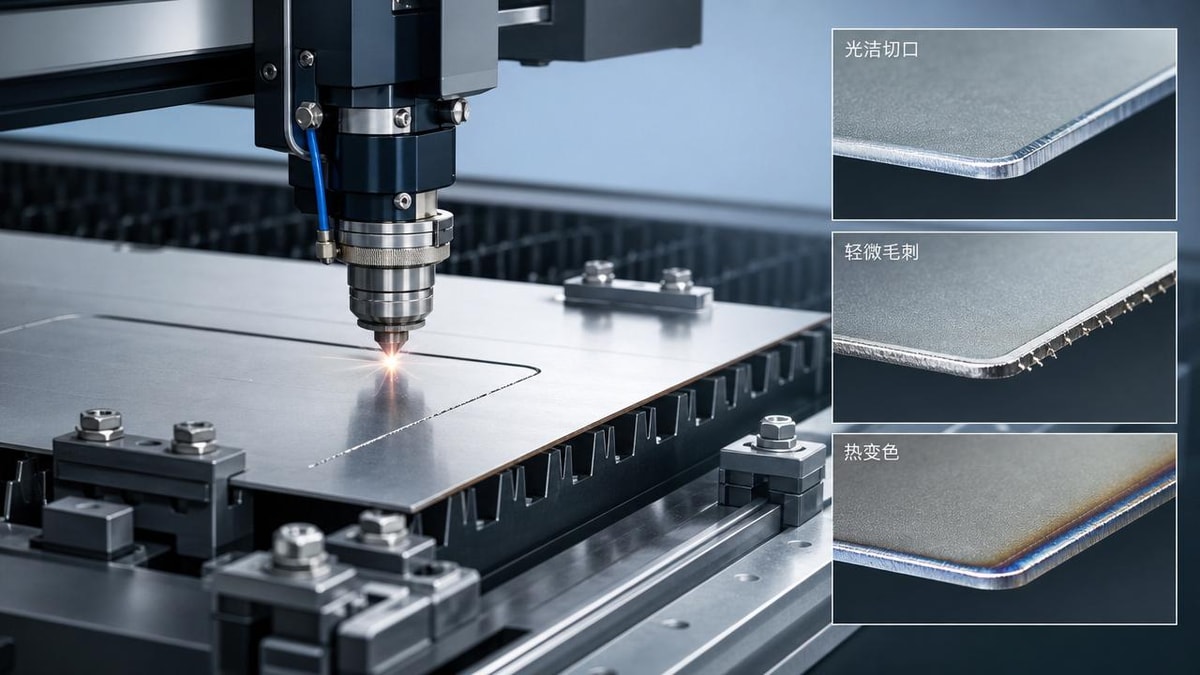
Thin metal sheets often expose the hidden limits of CNC cutting, where even small errors in speed, clamping, or tool condition can lead to poor edge quality and unstable results. For operators and shop-floor users, understanding why cutting performance drops is the first step toward reducing scrap, improving consistency, and achieving cleaner, more precise parts in daily production.
Why a checklist works better than guesswork in CNC cutting
When CNC cutting quality suddenly drops on thin metal sheets, operators often see the same symptoms: burrs, heat tint, edge waviness, sheet vibration, dimensional drift, and inconsistent cut-through. The problem is that these defects rarely come from one cause alone. On thin material, CNC cutting becomes highly sensitive to machine dynamics, cutting parameters, consumable wear, support conditions, and material variation. A checklist-based approach helps users identify the highest-impact factors first instead of changing settings randomly.
This matters across the broader manufacturing environment, from electronics brackets and appliance panels to automotive covers and precision enclosures. In modern CNC cutting operations, especially where throughput and repeatability are critical, fast diagnosis is just as important as machine capability. If the root cause is missed, operators may waste time adjusting feed or power while the actual issue is poor sheet support, nozzle wear, or unstable clamping.
First checks: what to confirm before changing parameters
Before editing the program or modifying cutting data, confirm the basics in a fixed order. This reduces trial-and-error and prevents one correction from hiding another problem.
- Verify the actual sheet thickness and flatness. Thin sheets may vary more than expected, especially after storage, transport, or protective film removal.
- Check whether the sheet is fully supported near the cut path. Local sagging or vibration can ruin CNC cutting quality even with correct settings.
- Inspect tool or consumable condition. Worn nozzles, dull blades, chipped cutting edges, or contaminated optics quickly reduce cut stability.
- Confirm clamping force and position. Excessive force can distort thin metal sheets, while weak holding allows chatter and movement.
- Review feed rate, spindle speed, assist gas, or power settings against the exact material grade, coating, and thickness.
- Look at machine vibration and backlash history. Thin-sheet CNC cutting shows mechanical weakness earlier than thicker stock.
- Check nesting strategy and cut sequence. Heat buildup and stress release can change quality from one region of the sheet to another.
Core checklist: the most common reasons CNC cutting quality drops
1. Sheet instability is often the real problem
Thin metal sheets behave differently from thick plates because they flex, resonate, and react to heat almost immediately. In many cases, poor CNC cutting is not caused by wrong speed alone but by unstable workholding. If the sheet lifts slightly, the tool-to-surface distance changes, which affects kerf, edge straightness, and cut penetration. If the support grid is too open, small parts may tip during final separation and damage the edge.
Priority checks include support spacing, vacuum or clamp placement, scrap drop zones, and whether micro-joints or tabs are needed for part stability. Operators should also watch for vibration marks that appear only in certain areas of the sheet, because that usually indicates local support weakness rather than a global parameter error.
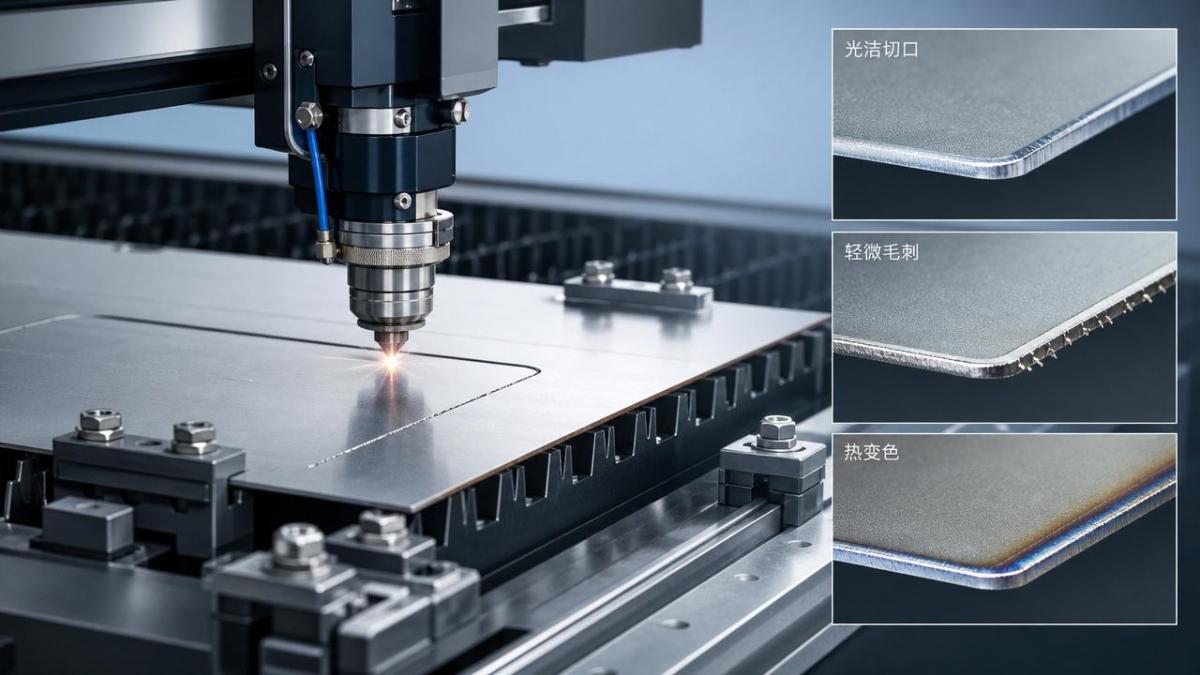
2. Heat input becomes excessive very quickly
Thin material cannot absorb heat like thicker stock. As a result, CNC cutting quality drops when thermal input is even slightly higher than necessary. Common signs include blue or brown discoloration, melted edges, dross, distortion, and post-cut warping. This is especially important in laser cutting, plasma cutting, and high-speed mechanical cutting where localized heat changes material behavior almost instantly.
A practical rule is to reduce unnecessary dwell, optimize lead-ins and lead-outs, and avoid cut paths that concentrate heat in a small zone. If similar defects appear on parts cut later in the sequence, heat accumulation may be the issue. In such cases, changing the cut order can be more effective than raising speed alone.
3. Tool condition affects thin sheets more than operators expect
On thin sheets, a small loss of sharpness or alignment can cause a visible drop in CNC cutting performance. A tool that still works on thicker material may already be unsuitable for thin-gauge production. Dull edges increase friction, widen the affected zone, and make the sheet more likely to deform instead of cut cleanly. In laser systems, nozzle damage, lens contamination, or beam misalignment often causes uneven kerf and rough edge finish.
Operators should not rely only on scheduled replacement intervals. Instead, combine visual inspection with defect patterns. If burrs increase on one side only, or if the cut face changes from smooth to striated without a parameter update, consumables should be checked immediately.
4. Parameter windows are narrower on thin material
CNC cutting on thin metal sheets leaves less room for approximation. Feed, speed, pressure, gas flow, tool height, and path acceleration all interact more tightly than on thicker workpieces. A setting that seems only slightly aggressive can trigger vibration or incomplete cuts. A setting that seems slightly conservative can cause overheating, edge rollover, or sticking.
The key point is to avoid broad adjustments. If edge quality drops, change one variable at a time and document the result. For shop-floor users, this creates a reliable reference for future jobs and prevents repeated troubleshooting on similar materials.
Quick judgment table for operators
Use the following guide to connect visible defects with likely CNC cutting causes and the first corrective action.
Different cutting scenarios require different priorities
For high-speed production lines
If output volume is the main target, CNC cutting quality can decline because operators push cycle time too hard. In this case, prioritize repeatable setup standards, consumable monitoring, and stable loading conditions. Even a well-optimized machine will produce inconsistent results if sheet flatness or clamping varies from batch to batch.
For precision parts with tight tolerances
Where edge finish and dimensional control matter more than speed, the priority should shift toward thermal management, motion smoothness, and final-part support. Small holes, narrow bridges, and intricate contours on thin sheets are especially sensitive. Here, CNC cutting quality depends heavily on acceleration control, lead-in placement, and how much heat is introduced before the final contour is completed.
For mixed-material workshops
Shops that process stainless steel, carbon steel, aluminum, and coated sheets on the same CNC cutting equipment should be careful about carryover assumptions. A program or nozzle setup that works on one material may perform poorly on another. Operators should maintain separate reference settings by material type, thickness range, and desired edge class.
Commonly overlooked factors that reduce CNC cutting quality
- Protective film, oil, or surface contamination that changes heat absorption or creates unstable cutting behavior.
- Residual stress in the sheet, which can release during CNC cutting and deform the part before the contour is finished.
- Poor machine maintenance, including loose guides, worn bearings, or inconsistent axis response.
- Assist gas purity and pressure variation, especially in fine-feature cutting.
- Incorrect pierce settings that damage the area before the actual profile cut begins.
- Nesting parts too closely, which increases heat concentration and weakens local sheet rigidity.
These overlooked issues are common in modern manufacturing environments where multiple part types run on the same equipment. Because CNC cutting quality on thin sheets is so sensitive, small hidden factors often create bigger losses than obvious machine faults.
Practical execution steps for shop-floor users
If quality has dropped and scrap is rising, use this execution order:
- Stop and collect one good sample and one defective sample for comparison.
- Confirm material thickness, grade, surface condition, and flatness from the current batch.
- Inspect support, clamping, and part stability across the full sheet area.
- Check tool, nozzle, optics, or blade condition before editing the program.
- Run a short test with one controlled parameter change only.
- Review cut sequence and heat concentration zones in the nesting layout.
- Record the final correction and save it as a material-specific reference.
This method supports stable CNC cutting in both standalone machines and integrated production lines. It also helps teams build process knowledge instead of depending on individual memory.
FAQ: operator-focused answers
Why does CNC cutting look fine at the start of the sheet but worsen later?
This usually points to heat accumulation, part release movement, or support loss after surrounding cuts are completed. Check cut order and remaining sheet rigidity.
Should I increase speed if the edge shows burn marks?
Not automatically. Burn marks can come from excessive heat, but they may also come from wrong focus, poor gas flow, or dirty consumables. Inspect first, then adjust one parameter at a time.
Why is CNC cutting on thin aluminum often harder than expected?
Thin aluminum reflects heat differently, distorts easily, and may move under insufficient support. It often requires tighter control of tool condition, stand-off, and workholding than thicker steel parts.
What to prepare before discussing improvements with suppliers or process engineers
If your team needs to improve CNC cutting quality in a more systematic way, prepare the following information before requesting technical support: material type and thickness range, defect photos, current parameter sets, machine model, consumable usage records, support method, clamping layout, production volume, tolerance targets, and whether the issue affects all jobs or only specific nests. With this information, engineers or equipment partners can judge whether the priority is setup optimization, machine maintenance, consumable selection, or process redesign.
For users and operators, the main takeaway is clear: when thin metal sheets expose weak spots in CNC cutting, the best response is not random adjustment but disciplined checking. If you need to confirm process parameters, machine suitability, material compatibility, cycle time impact, upgrade options, or service support, start by communicating the exact defect pattern and the checklist results already verified on the shop floor.
PREVIOUS ARTICLE
Recommended for You
 CNC Milling Capacity Gaps Can Hurt Small Batch ProfitabilityManufacturing Market Research Center
 Industrial Robotics Payback Is Changing in Mid-Size PlantsManufacturing Market Research Center
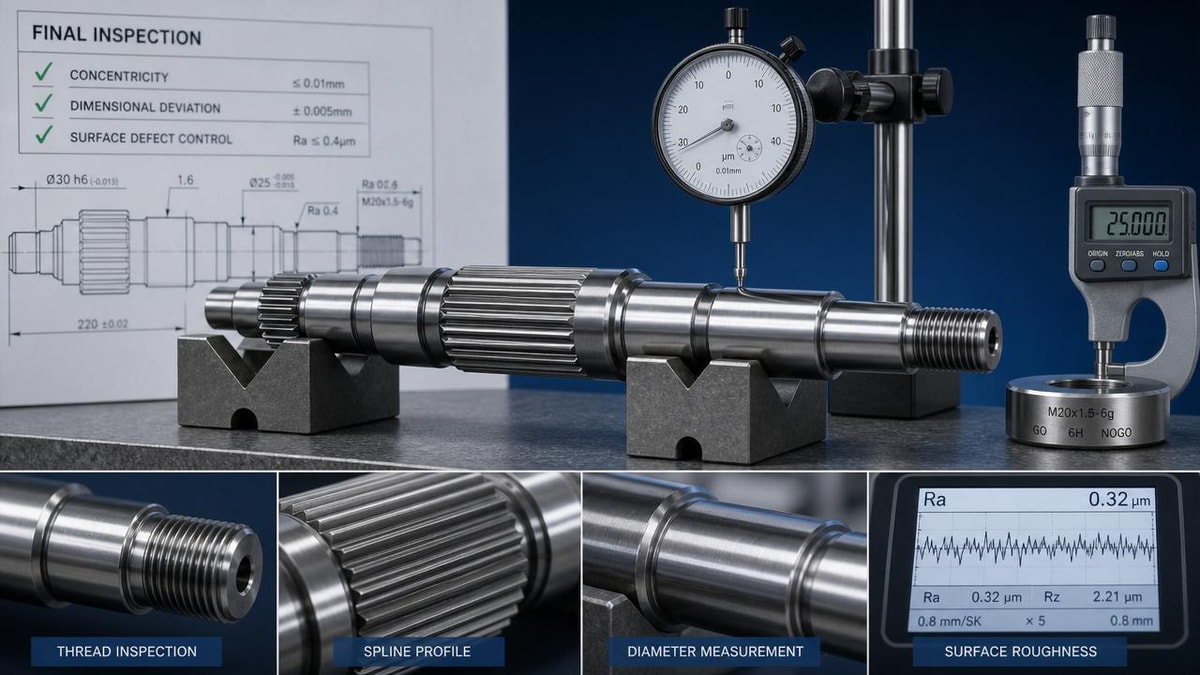
 Shaft Parts Machining Problems That Show Up at Final InspectionCNC Machining Technology Center
 Production Process Delays Usually Start Before Machining BeginsCNC Machining Technology Center
 Industrial Automation Projects Often Miss This Integration StepCNC Machining Technology Center
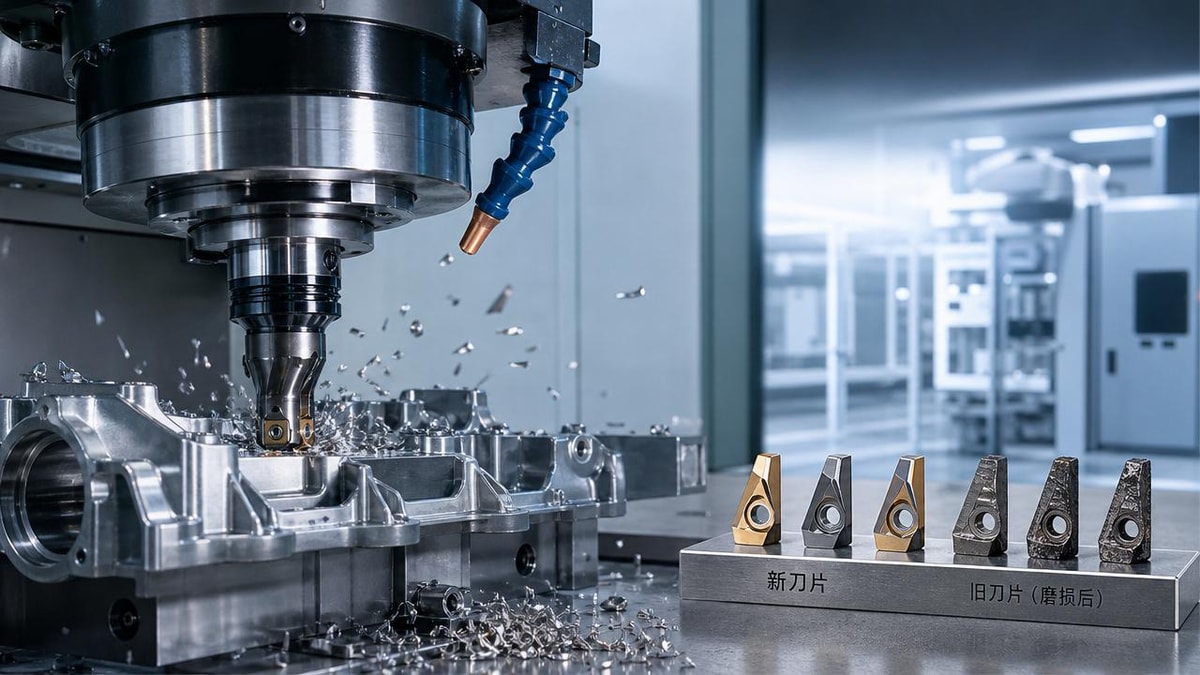
 CNC Metal Cutting Tool Wear Is Costing More Than You ThinkCNC Machining Technology Center

Aris Katos
Future of Carbide Coatings
15+ years in precision manufacturing systems. Specialized in high-speed milling and aerospace grade alloy processing.
▶
CNC Metal Cutting Tool Wear Is Costing More Than You ThinkCNC Machining Technology Center▶
Why CNC Cutting Quality Drops on Thin Metal SheetsCNC Machining Technology Center▶
CNC metal cutting costs rise fast when material data is wrongCNC Machining Technology Center▶
Why CNC cutting accuracy drops on thin metal sheetsCNC Machining Technology Center▶
Why CNC Cutting Costs Rise Faster Than ExpectedCNC Machining Technology Center
Mastering 5-Axis Workholding Strategies
Join our technical panel on Nov 15th to learn about reducing vibrations in thin-wall components.

Providing you with integrated sanding solutions
Before-sales and after-sales services
Comprehensive technical support