• Global CNC market projected to reach $128B by 2028 • New EU trade regulations for precision tooling components • Aerospace deman
NYSE: CNC +1.2%LME: STEEL -0.4%

Automated lathe vibration issues that reduce part accuracy
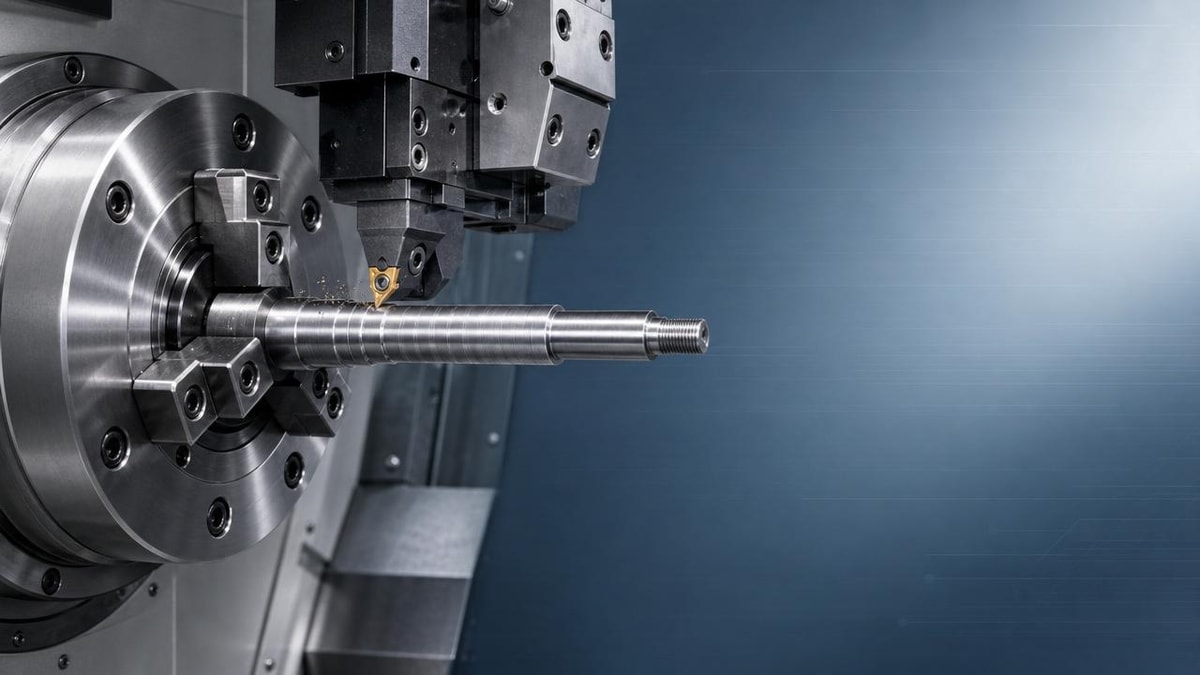
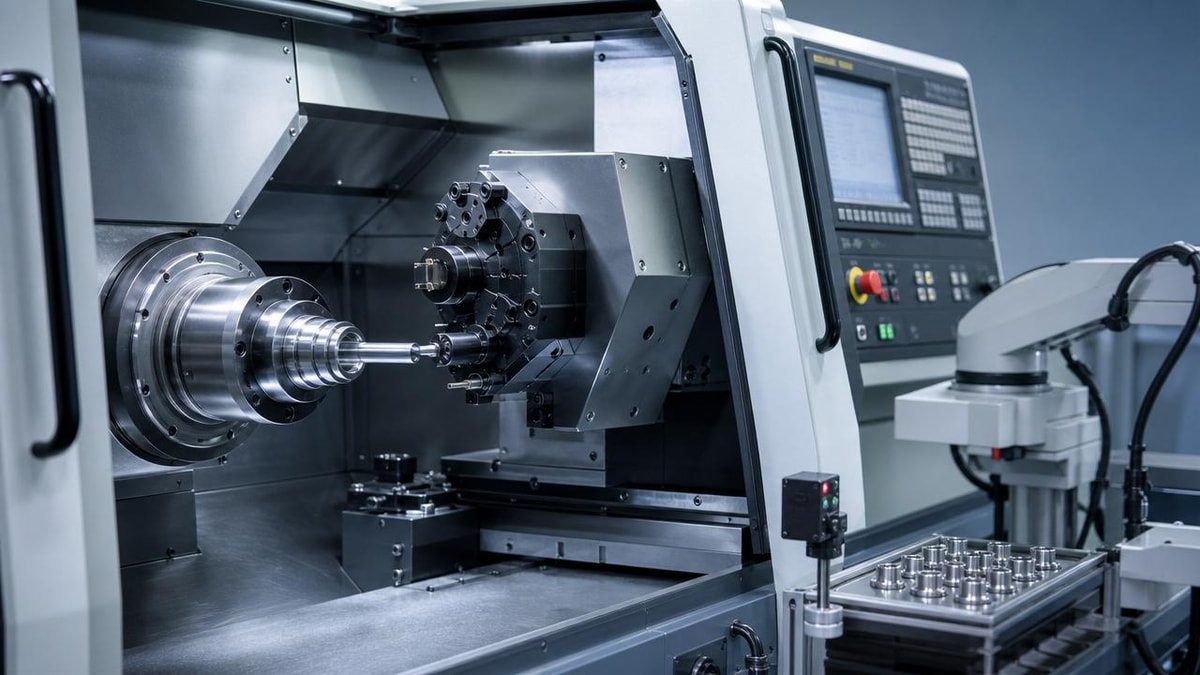
Vibration in an automated lathe can quickly turn precise machining into a source of dimensional errors, poor surface finish, and unstable production. For operators and shop-floor users, understanding what causes these vibration issues is essential to protecting part accuracy, reducing tool wear, and keeping CNC performance consistent in demanding manufacturing environments.
Why do vibration issues on an automated lathe matter so much for part accuracy?
On an automated lathe, vibration is not just a noise problem. It directly affects the relationship between the cutting edge, the rotating workpiece, and the machine structure. When that relationship becomes unstable, the tool no longer follows the programmed path in a smooth and repeatable way. The result can be taper, out-of-round parts, inconsistent diameters, chatter marks, burrs, and poor surface finish.
For operators, this is especially important because automated machining often runs with limited manual intervention. A small vibration issue that starts during one cycle can continue across many parts before anyone notices. In high-volume CNC turning, that means scrap increases fast, tool life drops, and process confidence disappears. In industries such as automotive, aerospace, energy equipment, and electronics production, even small dimensional shifts can make the difference between a usable part and a rejected one.
Another reason vibration matters is that it can hide behind other symptoms. Users may first see tool breakage, unstable measurements, or random finish problems and assume the issue is material variation or a worn insert. In reality, the automated lathe may be suffering from dynamic instability that is causing all of those symptoms at once.
What are the most common signs that an automated lathe is vibrating too much?
Most vibration problems on an automated lathe show up in a few repeatable ways. The earliest sign is often a visible pattern on the machined surface. Instead of a smooth finish, the part may have waves, rings, or a repeating chatter texture. This pattern usually becomes more obvious during longer overhang cuts, fine finishing passes, or operations on slender shafts.
Operators should also listen carefully. A stable cutting process produces a relatively consistent sound, while harmful vibration often creates a high-pitched squeal, rhythmic knocking, or fluctuating cutting tone. At the same time, spindle load may swing more than expected, and finished dimensions may drift from part to part even though the offset settings have not changed.
Other warning signs include unusual insert wear, frequent edge chipping, poor thread quality, unstable tool life, and inconsistent chip formation. If chips alternate between normal flow and broken fragments without a process change, the automated lathe may be cutting under unstable conditions. Users should also watch for vibration when rapid changes in spindle speed, bar feed, or turret motion occur, because automation can amplify weak points in setup rigidity.
What usually causes vibration on an automated lathe?
The causes typically fall into four groups: tooling, workholding, machine condition, and cutting parameters. In many shops, vibration on an automated lathe is not caused by one big fault but by several smaller weaknesses acting together.
Tooling is one of the first places to investigate. Excessive tool overhang, weak boring bar support, the wrong insert geometry, or a worn cutting edge can all trigger instability. A setup that looks acceptable for light cuts may start vibrating under heavier stock removal or during long cycle runs. If the insert nose radius, rake angle, or chipbreaker style does not match the material and depth of cut, the cutting force may become uneven and excite vibration.
Workholding problems are equally common. Soft jaws that are not machined correctly, weak clamping, excessive workpiece stick-out, poor tailstock support, or unstable bar feeding can allow the part to move microscopically during cutting. That movement may be enough to reduce part accuracy even when it is not visible to the eye. Long and slender components are especially vulnerable because they can deflect under load and then spring back.
Machine condition must not be ignored. Spindle bearing wear, turret misalignment, loose mounting hardware, guideway issues, backlash, and poor leveling can all contribute to an automated lathe vibration problem. In some facilities, nearby stamping presses, robots, conveyors, or heavy equipment also transmit vibration through the floor, affecting high-precision turning processes.
Cutting parameters are often the fastest variable to adjust. Spindle speed may enter a resonance zone, feed may be too light to stabilize the cut, or depth of cut may be creating a force pattern that the machine-tool-workpiece system cannot absorb smoothly. Coolant delivery can also matter. Poor coolant direction may increase heat and chip recutting, both of which can make vibration worse.
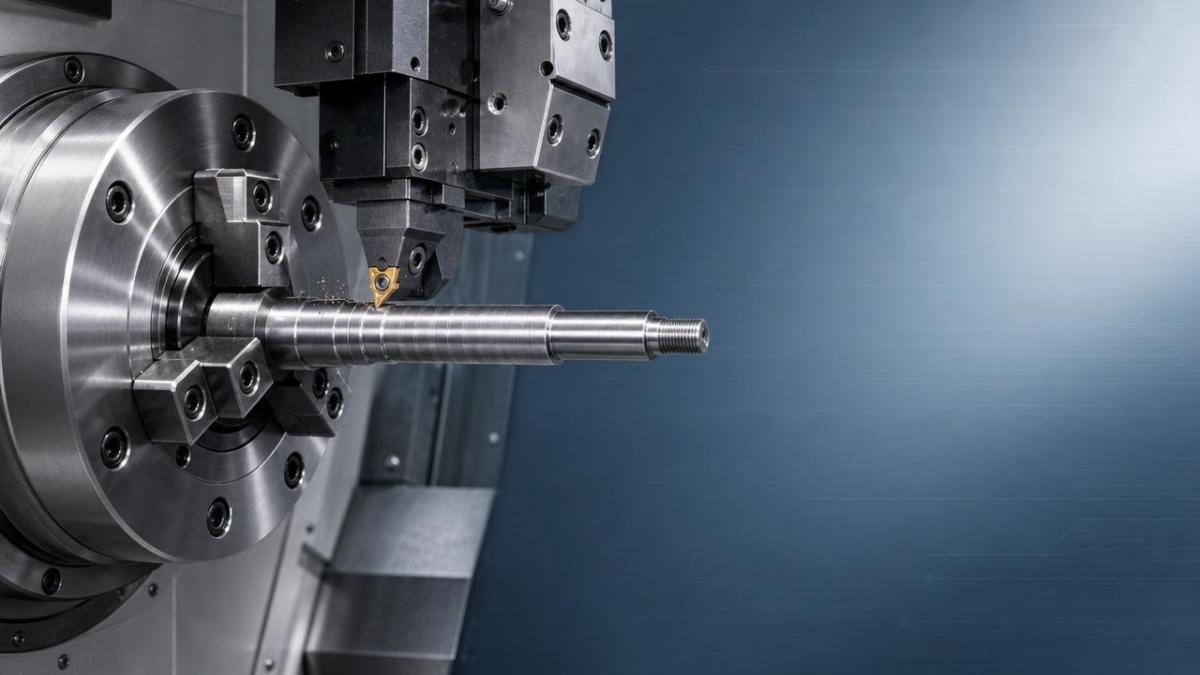
How can operators tell whether the problem comes from the tool, the machine, or the workpiece?
A practical diagnosis starts by changing one factor at a time. If vibration on the automated lathe changes noticeably when spindle speed is adjusted slightly, resonance is likely involved. If the issue improves after shortening tool overhang or replacing the insert, tooling is a strong suspect. If vibration appears only on long parts or thin-wall components, workpiece rigidity is probably the main cause.
Users should also compare where in the cycle the problem appears. Vibration only during roughing points toward cutting load, tool strength, or workholding rigidity. Vibration mainly during finishing may suggest a speed-related chatter band, dull tooling, or insufficient support on delicate features. If the problem appears in every operation, even across different materials and programs, machine condition becomes more likely.
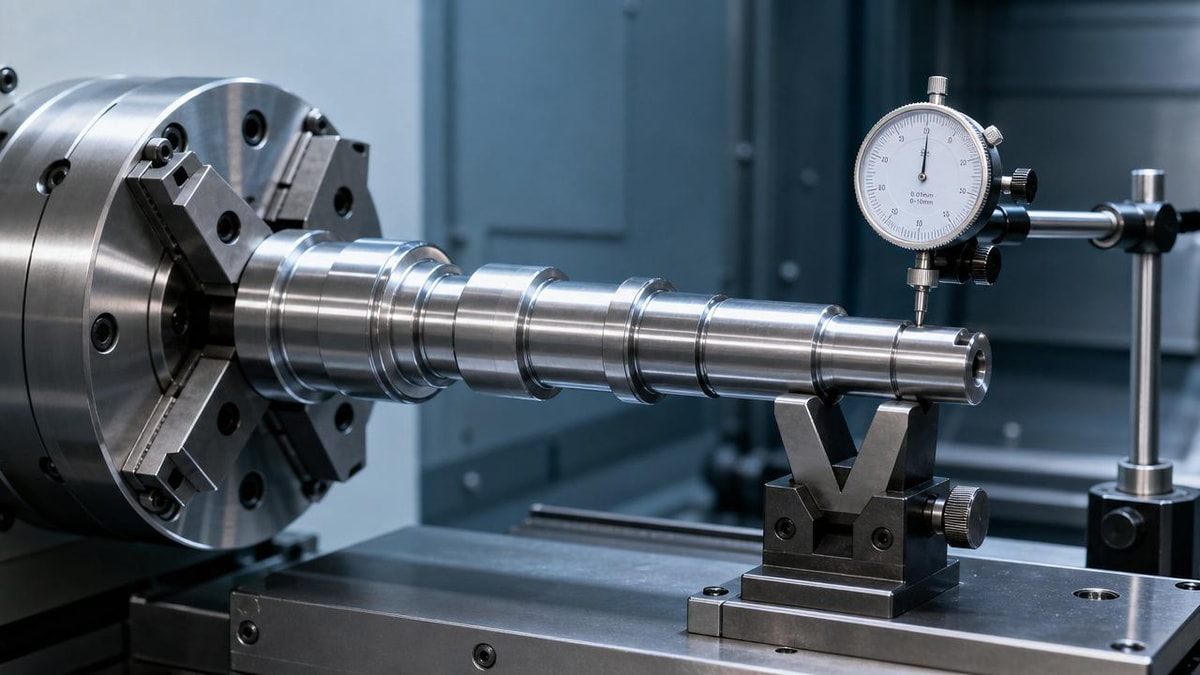
Another useful approach is to inspect wear patterns. A chipped insert edge with localized damage often indicates impact or unstable cutting. Uniform but rapid wear may point more toward heat or parameter mismatch. Jaw witness marks, part slip, and size inconsistency often reveal clamping issues. Operators can also check repeatability after a warm-up period. If the automated lathe behaves worse as temperature rises, spindle, lubrication, or axis condition may need deeper maintenance review.
When possible, measure vibration trends alongside part measurements. Even simple shop-floor monitoring such as recording RPM, tool number, insert life, and part dimension changes can reveal patterns. This is especially useful in smart manufacturing environments where machine data, maintenance records, and quality inspection results can be linked for faster troubleshooting.
What adjustments usually reduce automated lathe vibration without major downtime?
Many automated lathe vibration issues can be reduced quickly with disciplined setup changes. First, shorten tool and workpiece overhang wherever possible. This single action often improves rigidity immediately. Second, test spindle speed changes in small increments. Sometimes moving away from a resonant speed band solves chatter without changing the toolpath or material removal target.
Third, review insert grade and geometry. A sharper insert may cut more smoothly in some materials, while a stronger geometry may be better for interrupted or heavy cuts. Fourth, confirm clamping condition. Re-machine soft jaws if needed, verify chuck pressure, and check support from the tailstock, steady rest, or bar guide system. In automated production, even a small improvement in part support can create a major gain in accuracy consistency.
Feed and depth of cut should also be tested rather than assumed. Many users lower feed immediately when vibration appears, but that is not always correct. In some cases, too light a feed allows the insert to rub instead of cut, which increases instability. A controlled test matrix is usually better than guesswork. If the machine allows it, variable spindle speed control can also help disrupt sustained chatter patterns.
Basic maintenance actions should not be delayed. Check turret clamping, toolholder seating surfaces, spindle runout, lubrication, leveling, and fastener tightness. In a precision CNC environment, vibration reduction is rarely just about one parameter. It is about keeping the entire automated lathe system rigid, repeatable, and properly matched to the part design.
What mistakes do users commonly make when trying to fix vibration problems?
One common mistake is changing too many variables at once. When spindle speed, feed, tool type, and offsets are all changed together, the real cause remains unclear. Another mistake is blaming the insert first and ignoring workholding or machine condition. A new insert may temporarily reduce symptoms, but the same vibration can return quickly if the setup is still weak.
Operators also sometimes focus only on visible finish defects and miss the dimensional risk. An automated lathe can produce parts that look acceptable at first glance but still drift out of tolerance due to dynamic movement during cutting. This is especially dangerous in unattended or lights-out production where process stability matters more than a single good sample part.
Another frequent error is overlooking support equipment. Bar feeders, collet systems, hydraulic pressure settings, coolant nozzles, and even the condition of the machine foundation can influence vibration behavior. In integrated production lines, upstream material straightness and downstream handling can also affect what appears to be a pure lathe problem.
Finally, some shops accept recurring chatter as normal for difficult materials. While some applications are naturally more challenging, persistent vibration on an automated lathe should still be investigated. Better damping, stronger fixturing, improved programming strategy, or preventive maintenance often delivers measurable gains in surface finish, cycle reliability, and part accuracy.
When should a vibration issue be treated as a maintenance or engineering problem instead of a simple setup issue?
If the same automated lathe shows vibration across multiple jobs, materials, and tool setups, the issue may go beyond normal process tuning. Repeated chatter at many speeds, unexplained dimensional instability, poor repeatability after maintenance, or increasing noise from the spindle or axis drives are all signs that machine health should be reviewed in more depth.
Engineering support is also important when new parts introduce unusual geometry, very tight tolerances, or long unsupported cutting zones. In such cases, users may need revised tooling strategy, damping solutions, fixture redesign, or process simulation. High-precision sectors do not rely on trial and error alone. They combine operator experience with machine diagnostics, tooling expertise, and quality feedback to prevent recurring problems.
Maintenance involvement becomes urgent if there is evidence of spindle runout, turret indexing errors, guideway wear, unstable lubrication, thermal growth problems, or foundation movement. These are not issues that operators should be expected to solve only through feed and speed adjustments. A structured response protects both the machine and the production schedule.
What should users confirm before discussing a solution, upgrade, or support plan?
Before requesting outside support or evaluating a process change, users should prepare a focused set of facts. Confirm the part material, geometry, tolerance targets, surface finish requirement, tool type, insert grade, spindle speed, feed, depth of cut, coolant method, and workholding setup. Record when the automated lathe vibration appears, whether it changes with RPM, and whether it affects all parts or only specific features.
It is also helpful to gather photos of the surface defect, tool wear condition, and setup arrangement. If possible, compare results across shifts, operators, and machine conditions. These details help suppliers, maintenance teams, or process engineers determine whether the best next step is parameter optimization, tooling adjustment, fixture improvement, machine inspection, or broader production-line review.
For any shop using an automated lathe in precision manufacturing, the goal is not only to stop the noise. It is to restore stable cutting, protect part accuracy, and support reliable output across automated production. If you need to confirm a specific solution, technical direction, maintenance priority, lead time, or cooperation method, start by discussing the exact vibration symptoms, part tolerance risk, current setup limits, and the operating conditions under which the problem becomes most severe.
PREVIOUS ARTICLE
Recommended for You
 Industrial Robotics payback depends on one hidden variableManufacturing Market Research Center
 Shaft Parts machining problems linked to concentricity lossCNC Machining Technology Center
 Production Process changes that quietly raise defect ratesCNC Machining Technology Center
 Industrial Automation projects stall without process mappingCNC Machining Technology Center
 CNC metal cutting heat issues behind poor surface finishCNC Machining Technology Center
 High precision lathe claims that deserve a closer lookMachine Tool Industry Editorial Team

Aris Katos
Future of Carbide Coatings
15+ years in precision manufacturing systems. Specialized in high-speed milling and aerospace grade alloy processing.
▶
Vertical lathe or horizontal setup for large ring parts?CNC Machining Technology Center▶
Automated lathe vibration issues that reduce part accuracyCNC Machining Technology Center▶
CNC Metal Lathe Accuracy Loss Often Starts With HeatCNC Machining Technology Center▶
Vertical Lathe or Horizontal Setup for Large Ring Parts?CNC Machining Technology Center▶
Metal Lathe Wear Signs You Should Not Ignore Too LongCNC Machining Technology Center
Mastering 5-Axis Workholding Strategies
Join our technical panel on Nov 15th to learn about reducing vibrations in thin-wall components.

Providing you with integrated sanding solutions
Before-sales and after-sales services
Comprehensive technical support